
Introducing Rental Agreements: Create, Customize, and Sign Rental Agreements Anywhere
A mobile app for creating, customizing, and signing rental agreements, for apartments, bikes, cameras, tools, and everything in between. The other person doesn’t need to install anything.
 Rental Agreements team · · 9 min read
Renting out an apartment, a bicycle, a camera, or even a power tool often involves the same challenge: getting the paperwork right.
You need an agreement that describes what’s being rented, under which conditions, and who’s responsible for what. You need to collect details, get signatures, and keep a copy of the document. Sometimes everyone is in the same room. Sometimes the other person is miles away.
Today, we’re introducing Rental Agreements — a mobile app that makes creating, customizing, and signing rental agreements simpler.
Whether you’re a private landlord, run a small rental business, or occasionally rent out your own equipment, Rental Agreements gives you the tools to prepare and sign documents directly from your phone.
No complicated setup, no printing and scanning, and no need for the other party to install anything.
Built for More Than Just Property Rentals
When people hear “rental agreement,” they usually think of an apartment or a house. But rental agreements are useful in many other situations.
Imagine renting out a bicycle for the weekend, lending a camera to a customer, or providing equipment for an event. In each case, a written agreement helps establish the rental terms and the responsibilities of everyone involved.
Rental Agreements was designed with this variety in mind.
It can be used by:
- Private landlords renting out apartments, rooms, holiday homes, or parking spaces.
- Rental businesses offering bicycles, cars, kayaks, tools, cameras, and other equipment.
- Event organizers and venue owners renting spaces or equipment to groups.
- Clubs and communities that share or rent equipment among their members.
- Individuals who occasionally rent out their personal belongings.
Rather than trying to be a complete rental management platform with bookings, payments, and accounting, Rental Agreements focuses on one thing: helping you create a clear rental document and get it signed.
Start with a Template. Make It Yours.
Every rental is different, but that doesn’t mean you have to write every agreement from scratch.
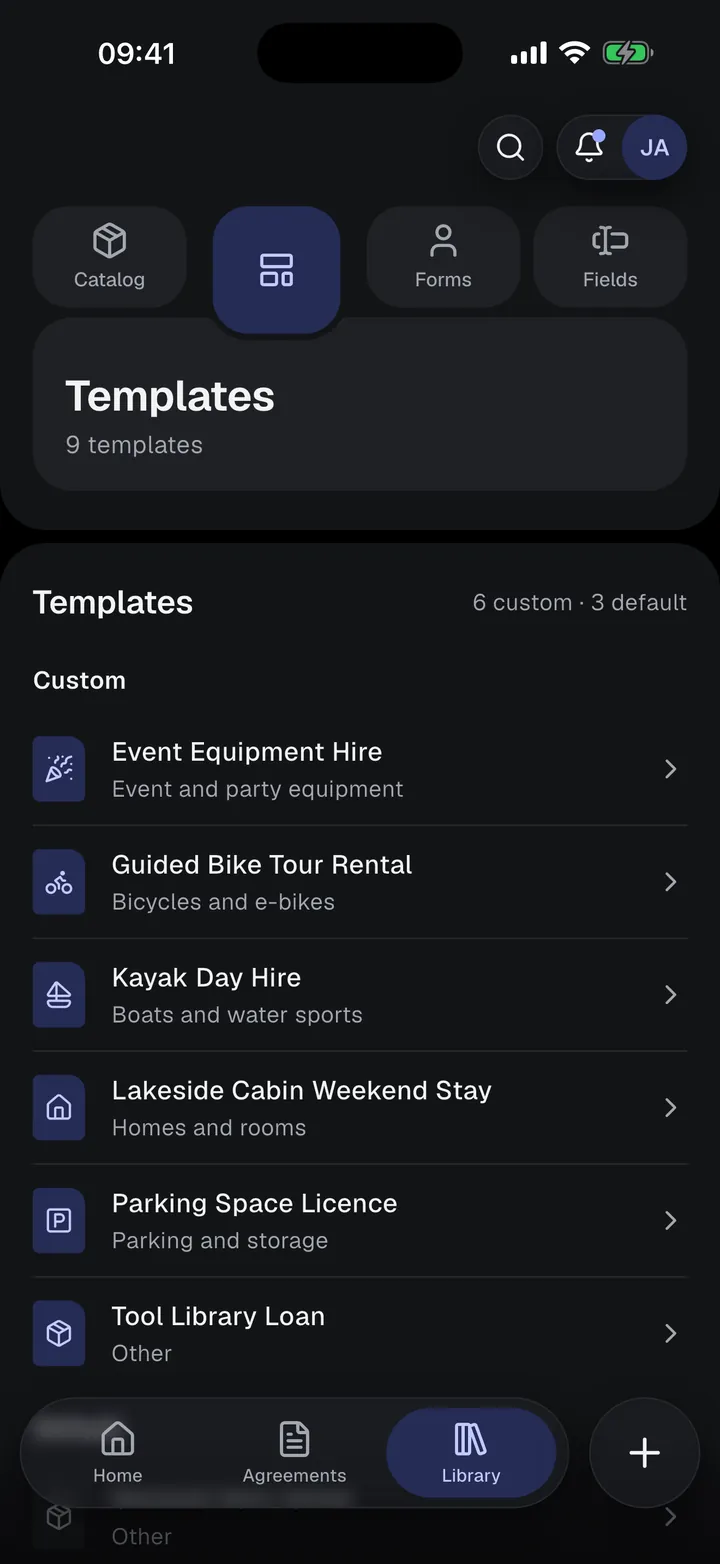
Rental Agreements comes with 22 built-in templates covering common rental scenarios, including residential leases, vehicle rentals, general equipment rentals, and more.
Choose a template, enter the rental details, and you’re on your way to a completed agreement.
But what if the included template doesn’t quite fit your needs?
That’s where customization comes in.
Create Agreements That Work for Your Business
Unlike a fixed PDF form, a template in Rental Agreements isn’t just a document with empty boxes to fill in.
You can customize the agreement itself:
- Edit the document text. Add, remove, or rewrite clauses to match your rental conditions.
- Create your own fields. Collect the information you actually need, whether it’s a rental period, security deposit, serial number, or something specific to your business.
- Customize participant forms. Decide who needs to sign and which details each person should provide.
- Add your branding. Include your company name or logo in the final document.
- Choose a document layout. Use a traditional single-column layout or a two-column design.
You can clone an existing template or create an entirely new one.
And once you’ve prepared a template, you can reuse it whenever you need another agreement.
The information entered into each agreement is automatically inserted into the document, so the final result is a properly formatted document rather than a collection of text boxes placed over a static PDF.
Create and Sign an Agreement in a Few Steps
The process is straightforward.
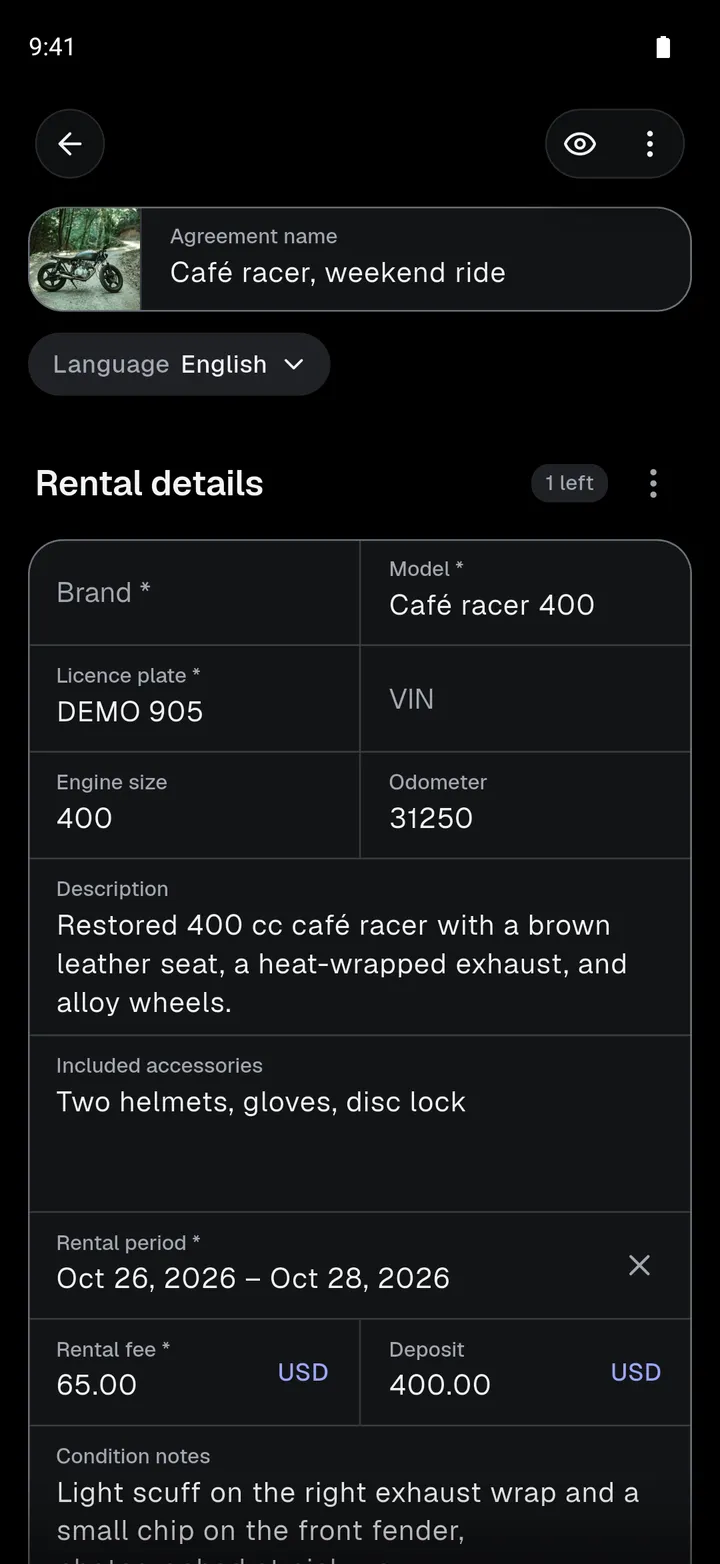
1. Choose a template. Start with one of the built-in templates or select a template you’ve created yourself.
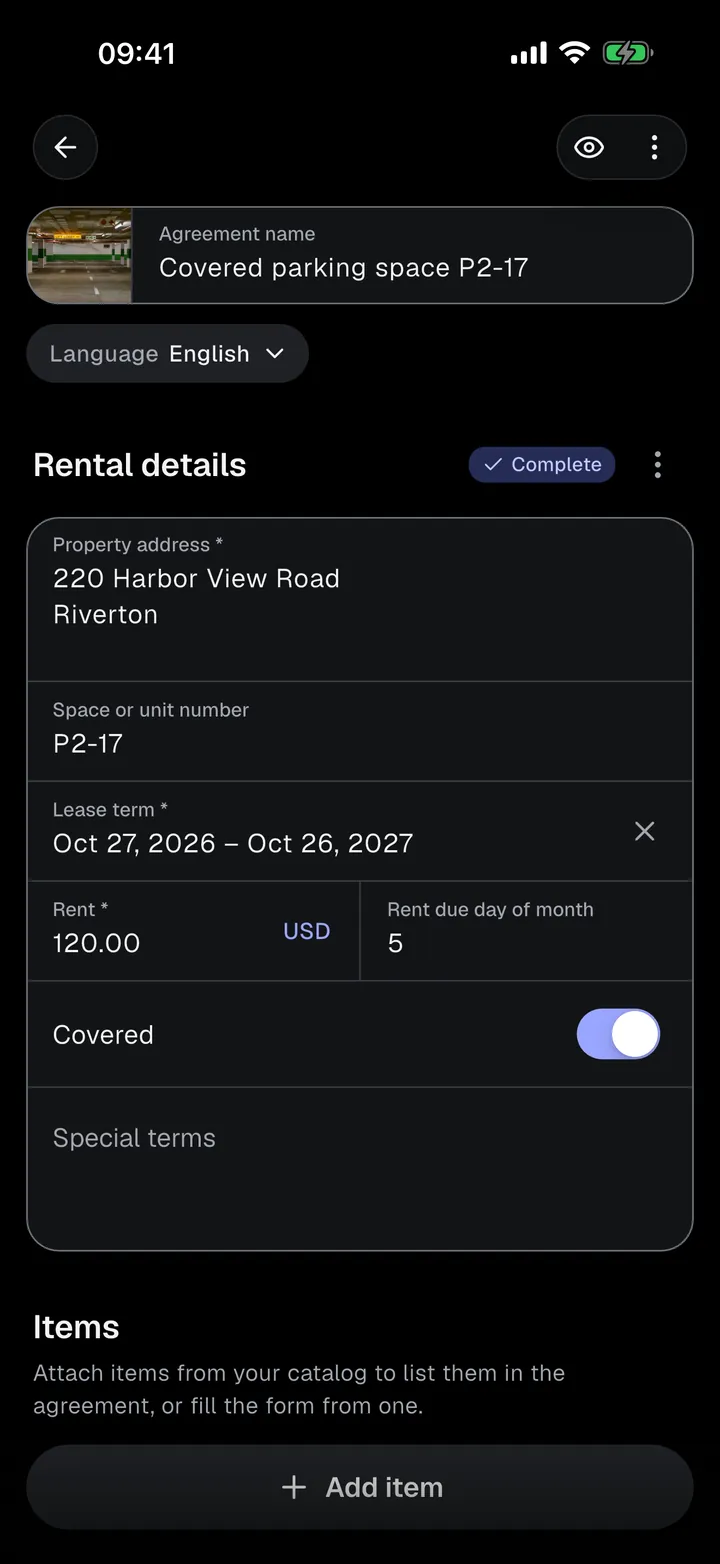
2. Fill in the details. Enter what you’re renting out, the rental period, fees, deposits, and any other required information. Add participants and their details, and attach items or photos when needed.
You don’t have to finish everything at once. Drafts save automatically, and you can return to them later. You can also preview the document before sending it for signatures.
3. Collect signatures. When everything is ready, choose how each participant should sign.
4. Download and share. Once everyone has signed, the completed agreement is available as a PDF. You can also export its pages as JPG images and share them however you prefer.
Everything happens in one place, from the initial template to the finished document.
Sign in Person or Remotely
Not every rental happens face to face. That’s why Rental Agreements supports two ways of collecting electronic signatures.
Sign Together on One Device
If your customer is standing in front of you, simply hand them your phone.
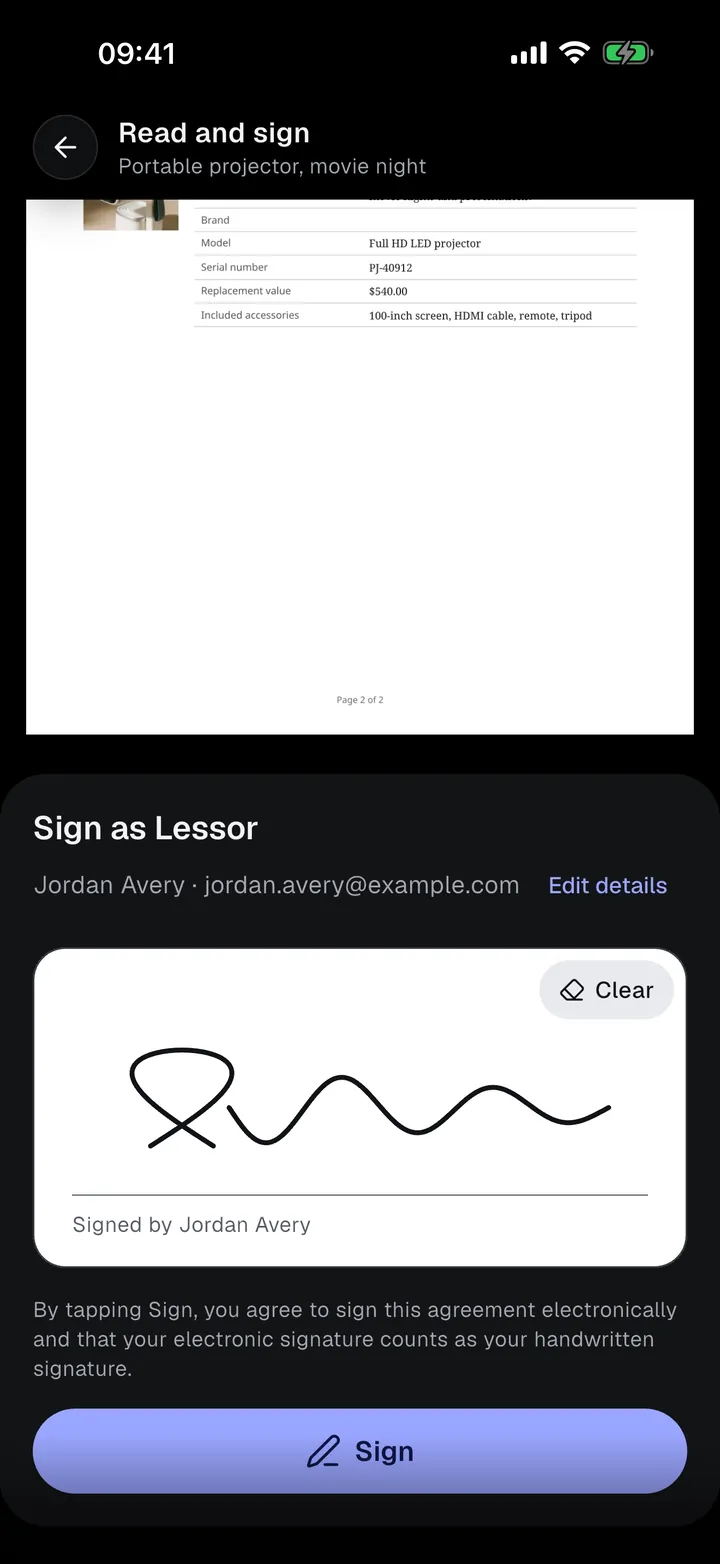
They can check or complete their details, read the agreement, and sign directly on the screen with their finger.
This is particularly convenient for rental counters, equipment handovers, and other situations where both parties are present.
Send a Signing Invitation
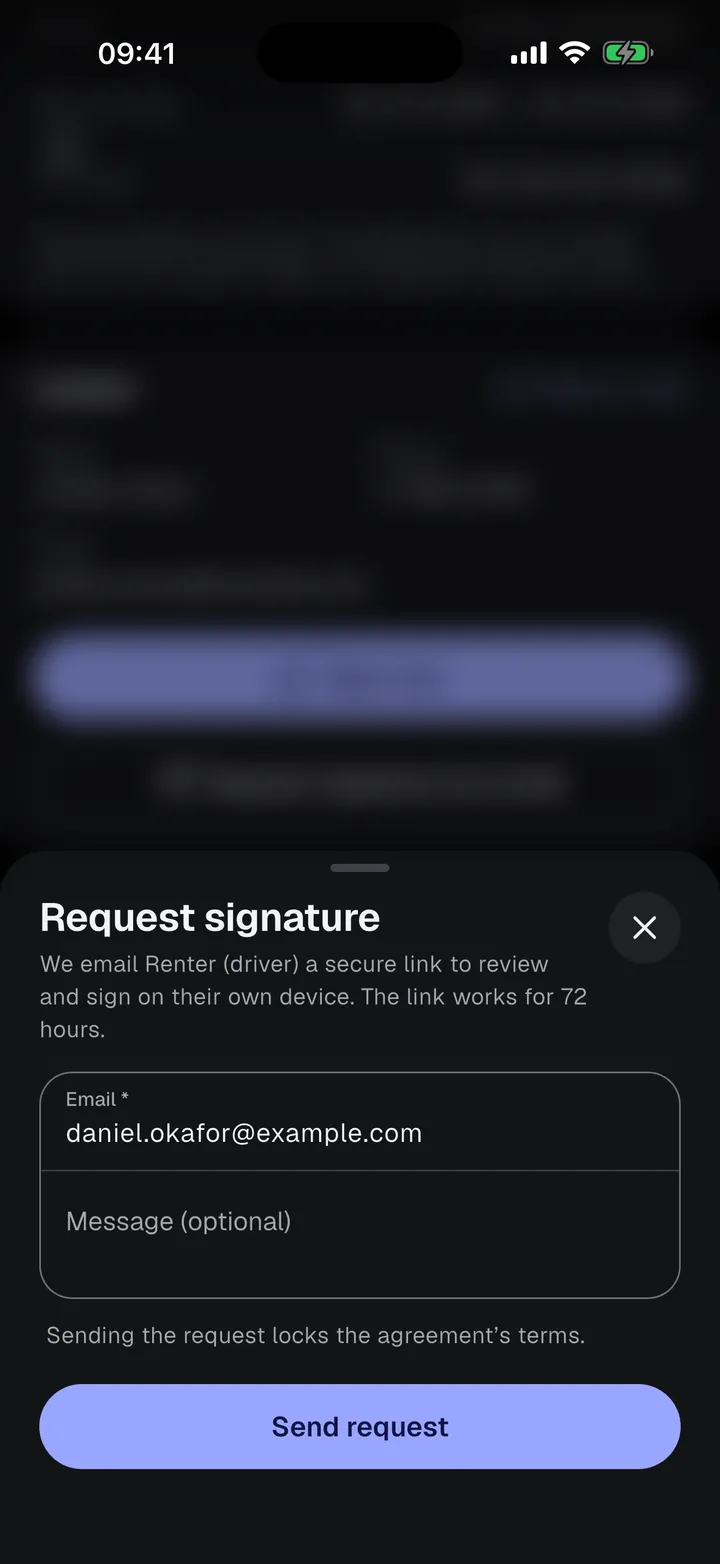
If the other person isn’t nearby, you can request their signature by email.
They receive a private link that opens in a regular web browser. From there, they can enter their information, review the complete agreement, and sign using their phone, tablet, or computer.
They don’t need to download Rental Agreements or create an account.
Signing links expire after 72 hours, and you can resend or cancel a request when necessary.
Once everyone has signed, the completed document is ready to download. People who signed remotely also receive an email with access to their copy.
One Agreement for an Entire Group
Sometimes you need signatures from more than just one or two people.
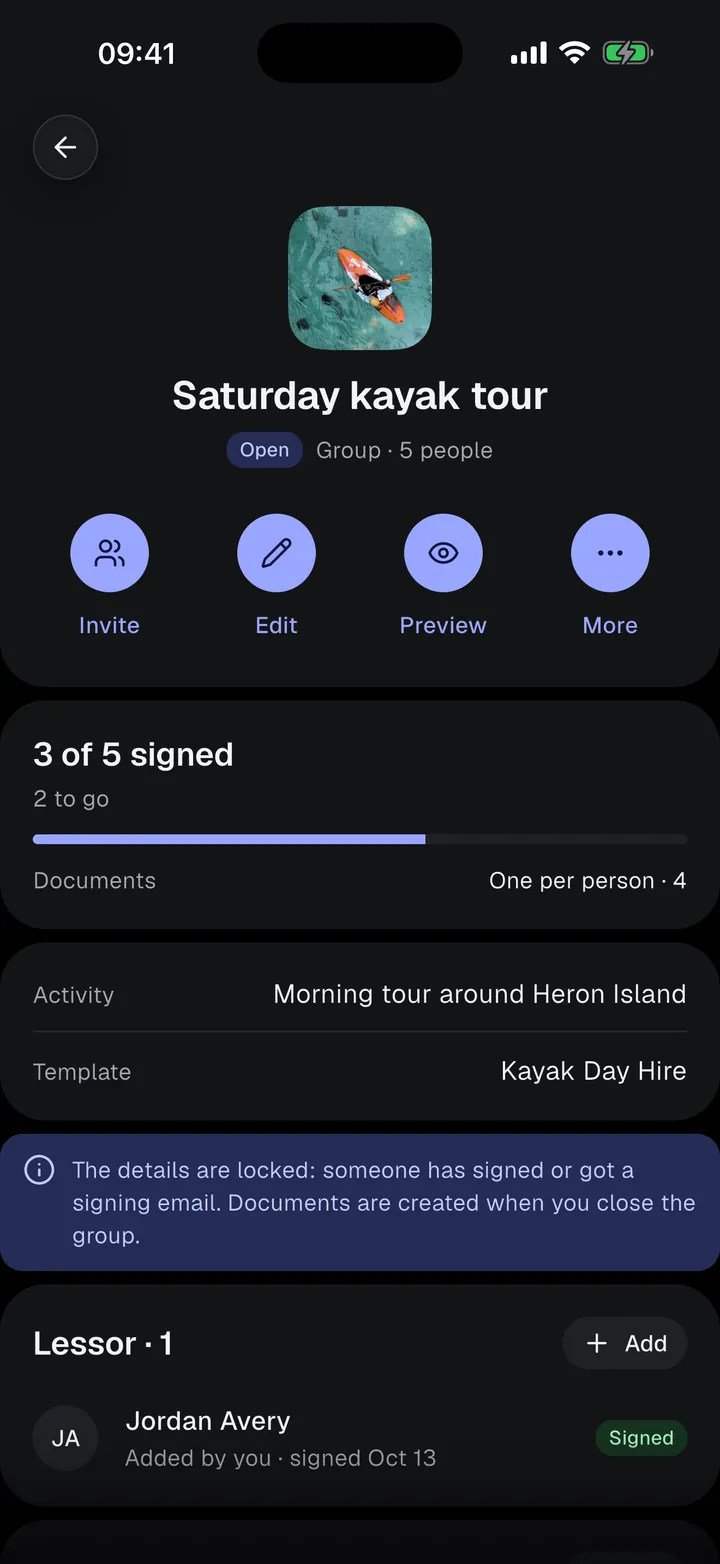
Imagine running a kayak rental business and organizing a guided tour for 15 participants. Everyone needs to agree to the rental conditions before heading out.
Creating and managing 15 separate agreements manually would be inconvenient.
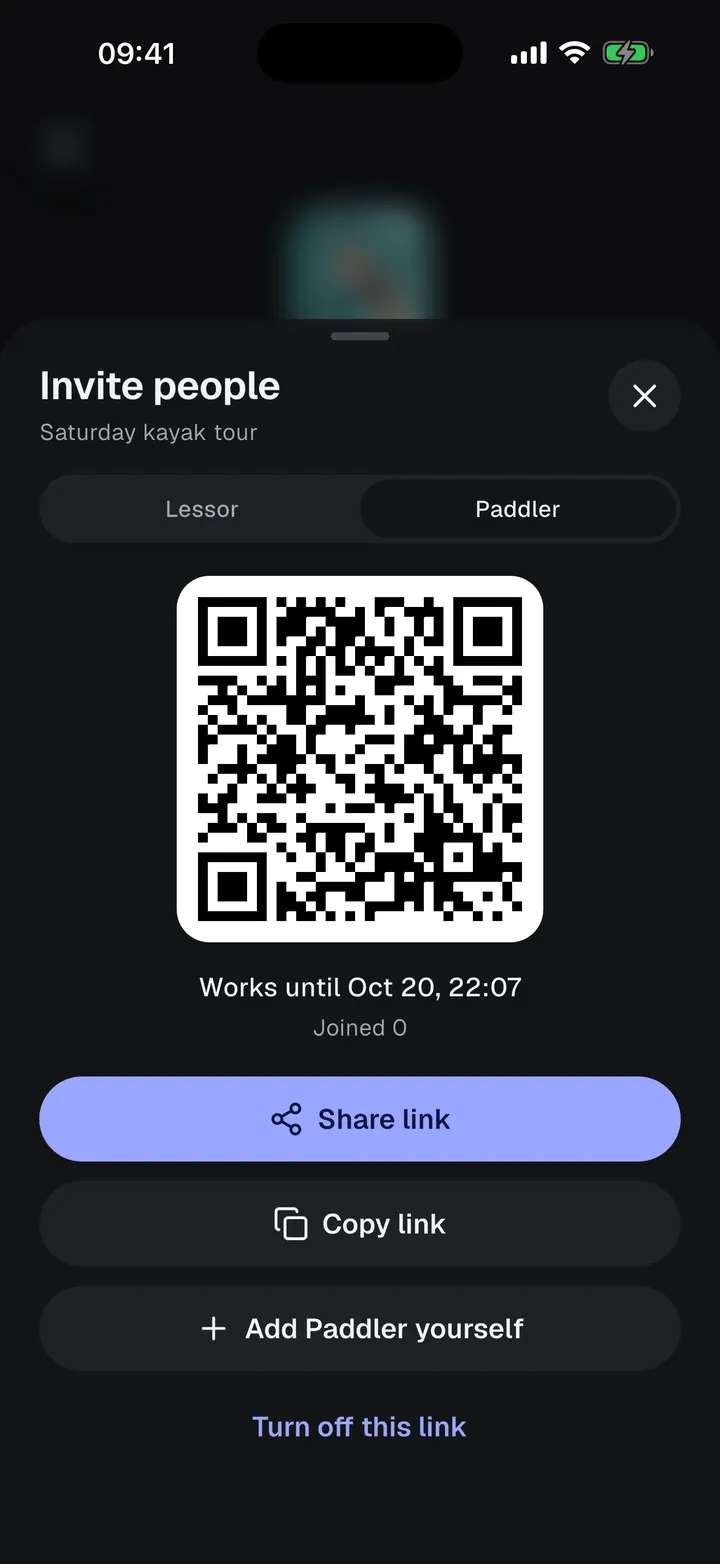
With Group agreements, you can prepare the rental details once and invite everyone to join.
Simply create a group agreement and share an invitation link or display its QR code.
Participants open the link, enter their email address, and receive their own signing invitation. They can then provide their details and sign without installing the app.
You can follow the progress from your phone, see who’s joined, and check who’s already signed.
Depending on your needs, you can choose between two document formats:
- One shared document, where everyone signs the same agreement.
- One document per person, where separate documents are generated for individual participants.
Once the group is complete, you can generate the documents and send copies to the participants.
Group agreements are useful for equipment rentals, guided activities, events, and any situation where several people need to agree to the same rental terms.
Keep Your Rental Items in One Catalog
If you regularly rent out the same equipment, entering its details into every new agreement gets repetitive.
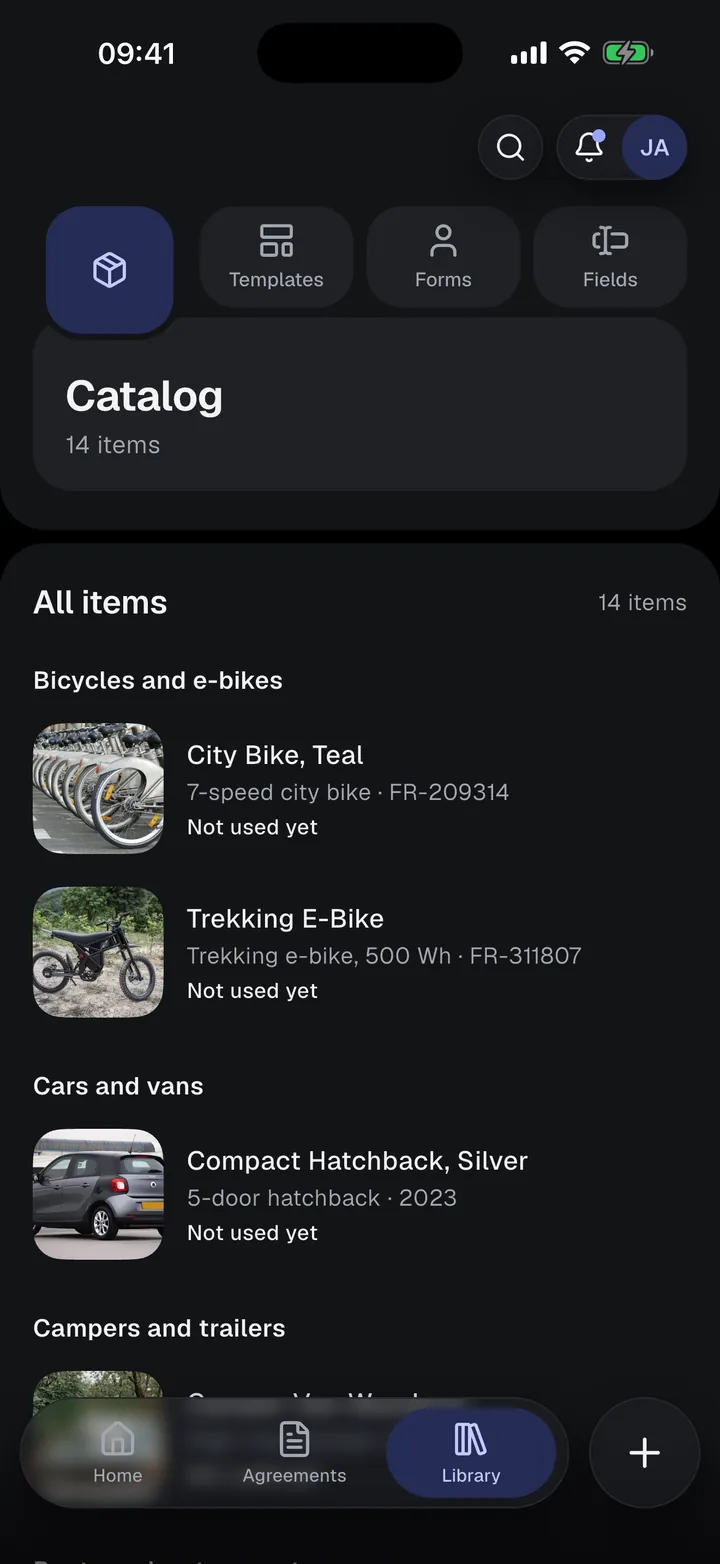
Rental Agreements includes a Catalog where you can save information about the things you rent out.
For example, if you operate a bicycle rental business, you can add each bicycle with its name, brand, model, frame number, photos, and other relevant details.
The Catalog supports a variety of item categories, from vehicles and sports equipment to cameras, electronics, properties, and venues.
When creating an agreement, you can select an item from your Catalog and use its saved information to fill matching fields automatically.
You can also attach an item to the agreement, so its details appear in the final document.
This means you don’t have to repeatedly enter serial numbers, descriptions, or other information for items you rent out frequently.
Document the Condition with Photos
A written description doesn’t always tell the whole story.
When renting out physical items, it’s often important to record their condition before handing them over.
Consider a bicycle with an existing scratch on its frame. Or a camera lens with a small cosmetic mark. Or an apartment with a damaged wall or worn flooring.
If questions about damage arise later, having a photographic record of the original condition can be valuable.
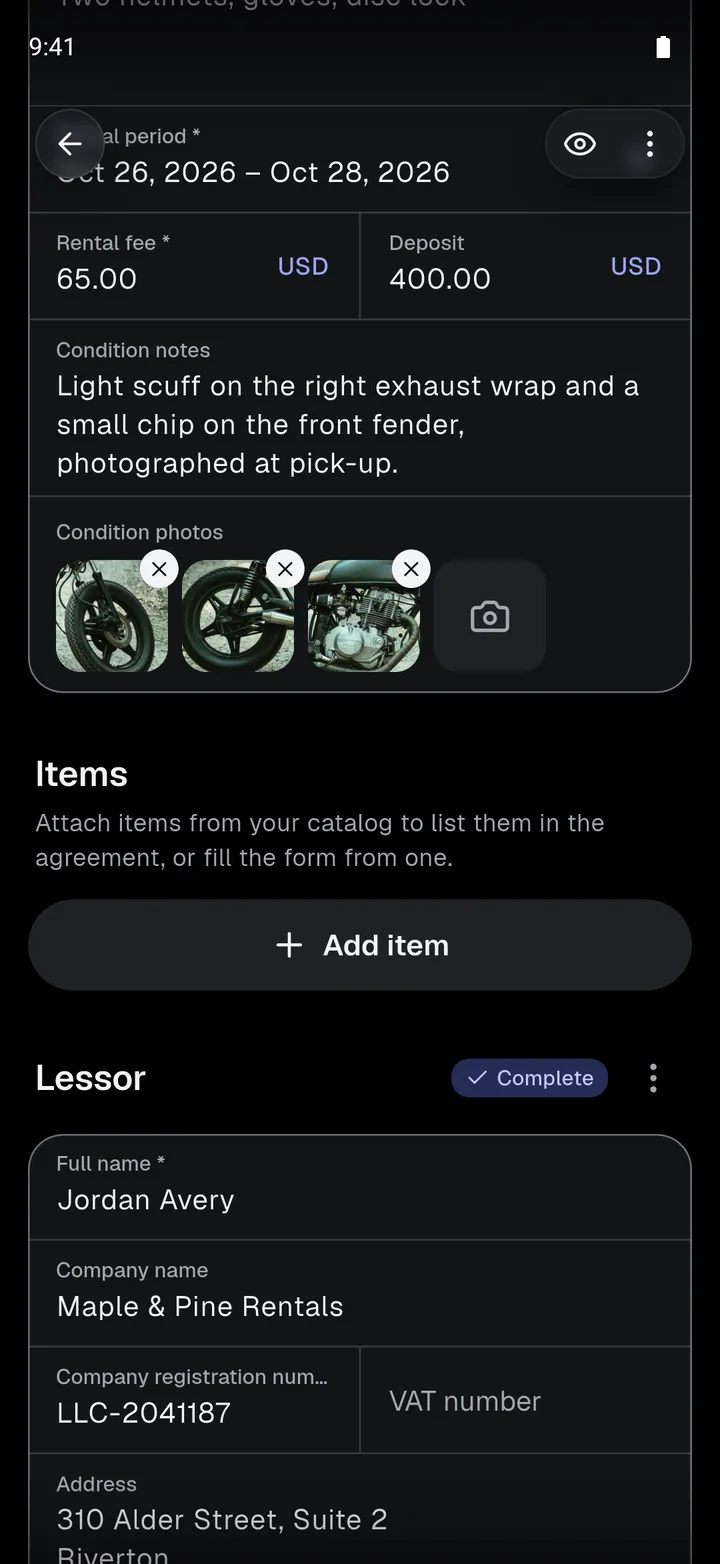
Rental Agreements lets you include photos as part of your agreement.
You can take pictures directly with your phone or select images you already have, using photo fields in the agreement.
For example:
- Bicycles and vehicles: Photograph existing scratches, dents, and other signs of wear.
- Apartments and rooms: Capture the condition of walls, floors, furniture, and appliances.
- Cameras and audio/video equipment: Document lenses, displays, accessories, and visible damage.
- Tools and machinery: Record the condition of equipment before it’s handed over.
These photos become part of the agreement’s documentation and are included in a dedicated photo appendix in the generated PDF.
It’s a simple way to keep the rental terms and the item’s documented condition together, rather than relying on separate pictures that could be difficult to find later.
All Your Agreements, Organized
As you create more agreements, keeping track of them becomes increasingly important.
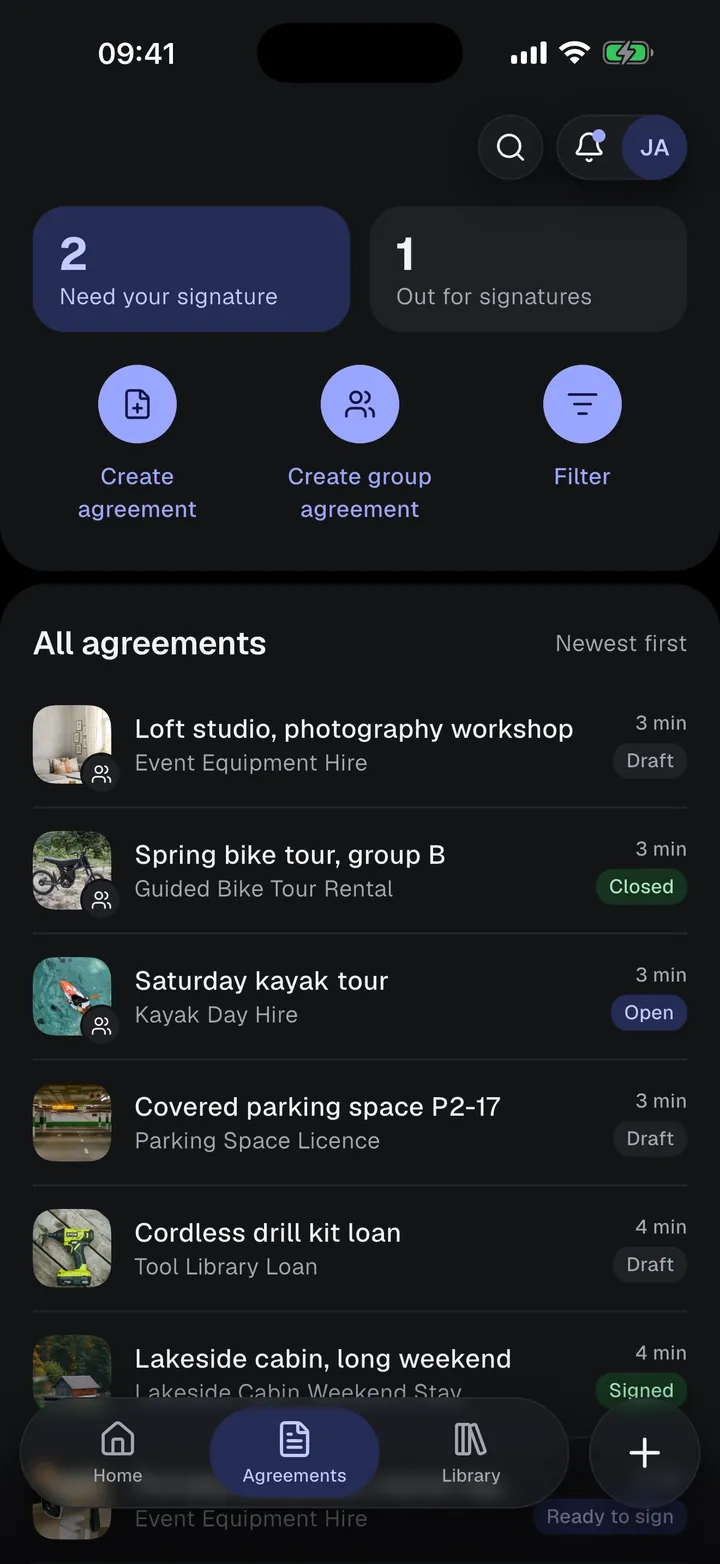
Rental Agreements provides a central place to find your documents and follow their progress.
You can see which agreements are still drafts, which are waiting for signatures, and which have been completed.
Search and filters help you find specific agreements, while cloning lets you create a new agreement based on an existing one without starting over.
The app can also notify you when someone signs a document, when an agreement is completed, or when a group is ready for its next step.
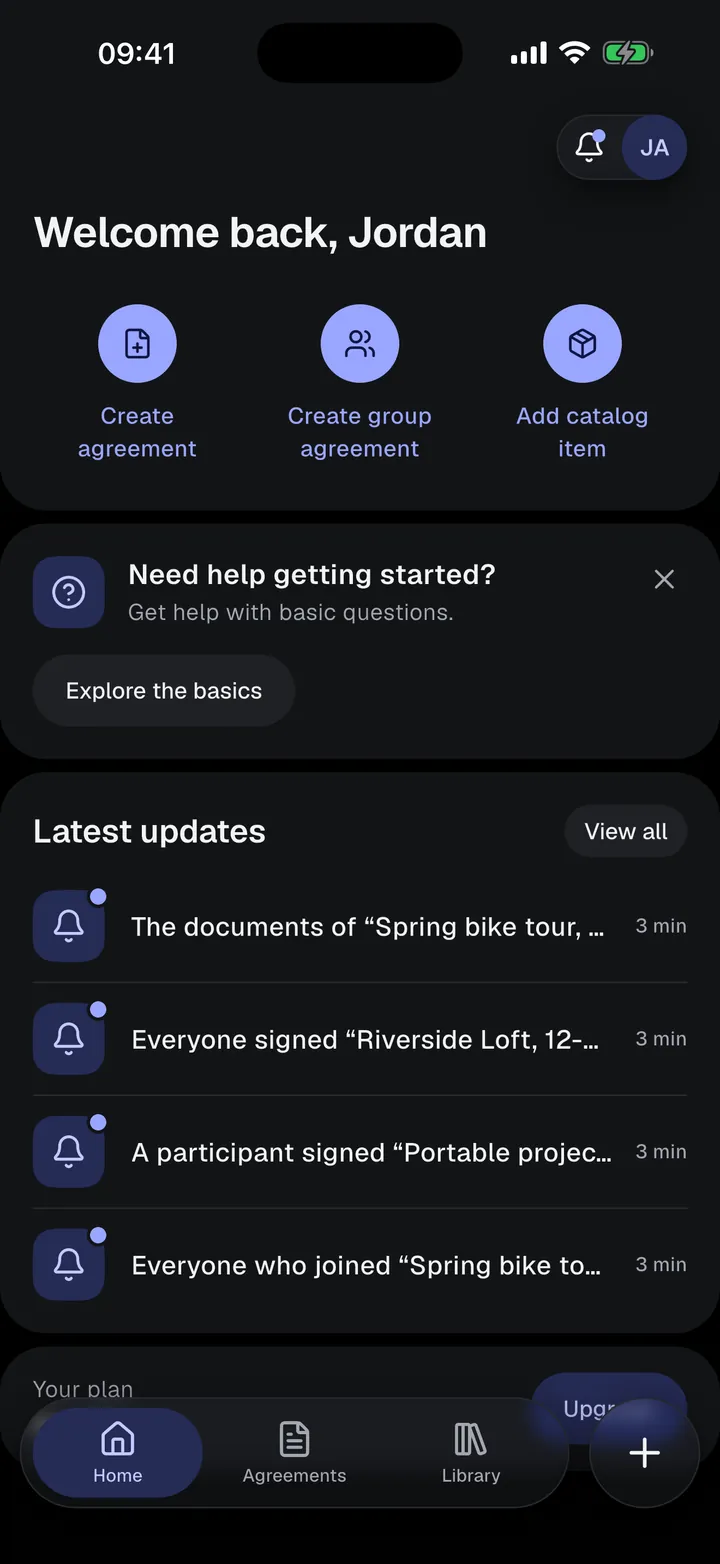
Your Home screen shows recent activity and gives you quick access to common actions such as creating an agreement, starting a group, or adding an item to your Catalog.
Start Free. Upgrade When You Need More.
We want people to be able to try Rental Agreements with real documents before deciding whether they need a subscription.
That’s why the app includes a Free plan.
You can create and sign your first 5 individual agreements for free. After that, you can continue creating one new individual agreement every 24 hours.
The Free plan also includes 3 group agreements. Drafts and document previews are unlimited, and you can always download your completed signed documents.
For people and businesses who use the app more frequently, there are two additional plans:
Basic provides unlimited individual agreements and the ability to export documents before they’re signed.
Premium adds unlimited group agreements and support for more devices.
The people you invite to sign never need a subscription or even an account.
Rental Agreements is available for iPhone, iPad, Android phones, and Android tablets.
The app supports 10 interface languages: English, Spanish, Portuguese (Brazil), French, German, Italian, Polish, Turkish, Dutch, and Japanese. Built-in agreement templates are currently written in English, but you can create your own templates in other languages.
This Is Just the Beginning
Rental Agreements started with a simple idea: creating and signing a rental document should be straightforward, whether you’re renting out one bicycle or running a small rental business.
Our goal is to make rental paperwork less of a chore, while giving you the flexibility to create agreements that fit your needs.
This first release brings together customizable templates, electronic signatures, group agreements, reusable rental items, photo documentation, and document management.
And we’re only getting started.
We’re particularly interested in hearing how people use Rental Agreements in their everyday work. What kinds of things do you rent out? Which documents do you use? What would make the process easier?
Your feedback will help us decide what to improve and build next. Have a suggestion or a question? We’d love to hear from you.
Ready to Create Your First Agreement?
Download Rental Agreements, explore the templates, and create your first rental agreement for free.
Some agreements or places need other formalities, such as witnesses or notarization. Check the requirements that apply to your situation. Rental Agreements does not give legal advice.