Introducing Rental Agreements for Web: Create and Sign Rental Agreements in Your Browser
Rental Agreements is now available on the web. Create, customize, and sign rental agreements directly from your computer, without installing anything.
 Rental Agreements team · · 2 min read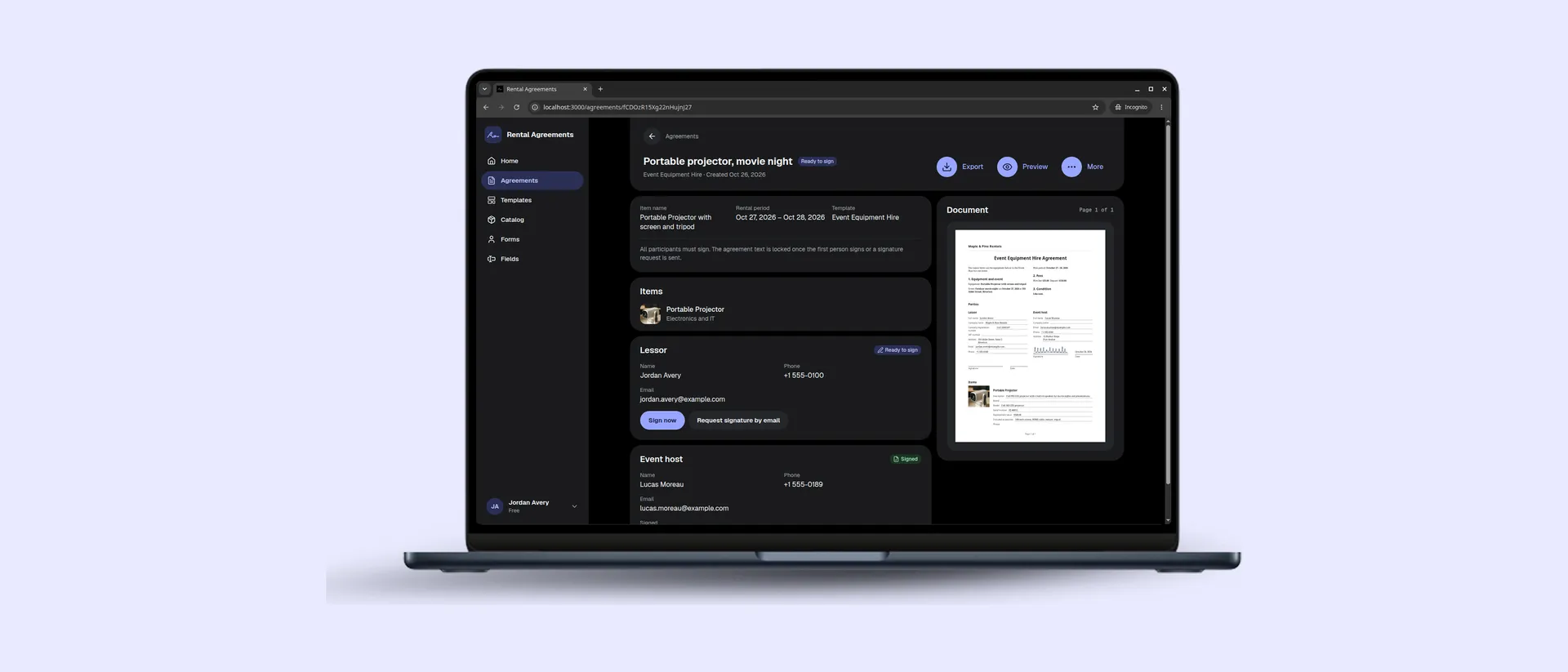
Rental Agreements started as a mobile app designed to make rental paperwork easier. Whether you’re renting out a bike, a camera, a car, or an apartment, it helps you prepare an agreement, collect signatures, and keep the finished document.
Now, you can do it all from your web browser, too.
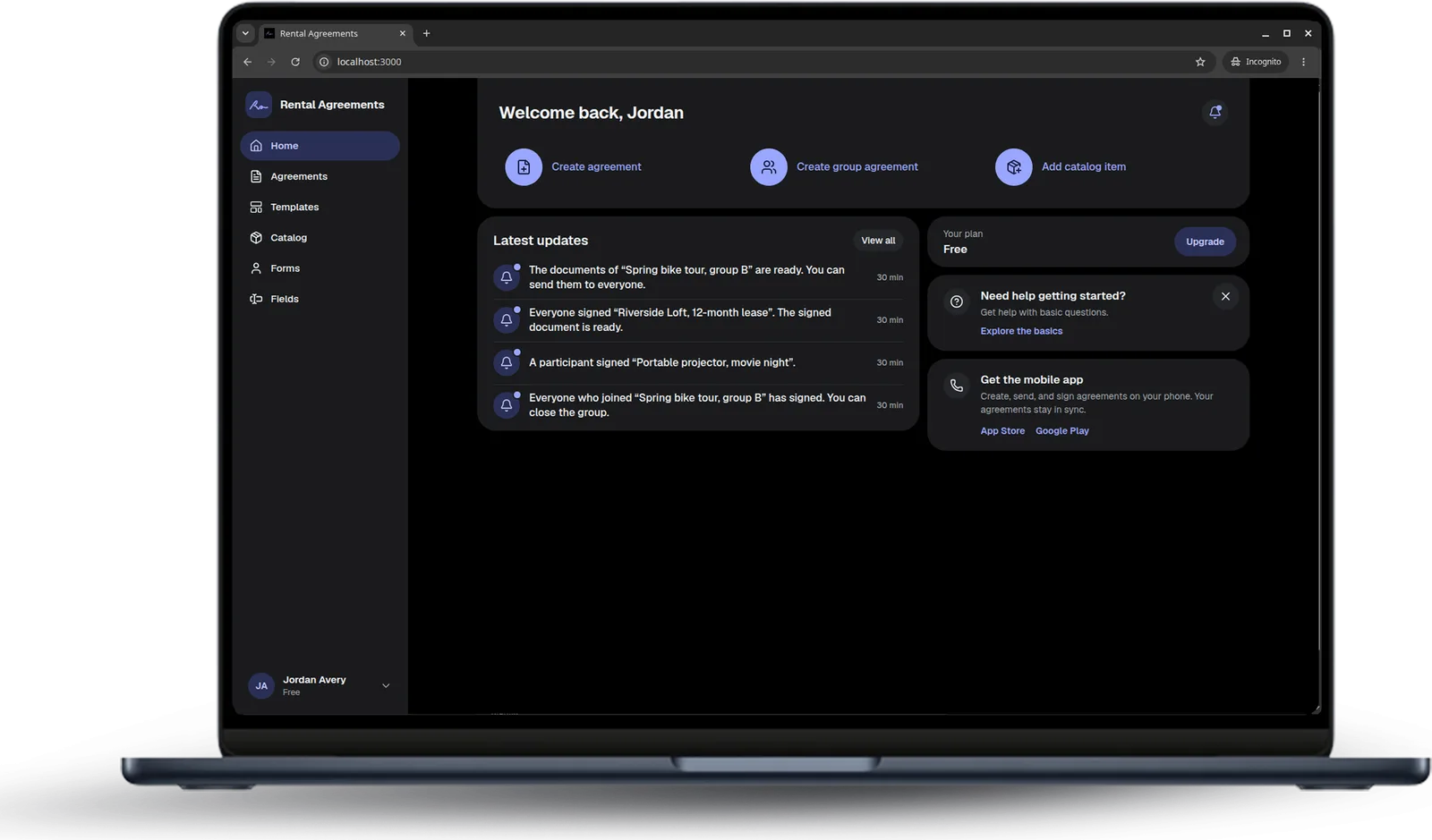
Your rental agreements, now on a bigger screen
A phone is convenient when you’re meeting a customer or handing over equipment. But some tasks are simply more comfortable on a computer.
Writing agreement terms, customizing templates, entering detailed information, or reviewing longer documents can be easier with a keyboard and a larger display.
The new Rental Agreements web app brings these workflows to your browser. Sign in with your existing account and work with your agreements, templates, and rental items from your computer.
You can use Rental Agreements on the web or on your iPhone, iPad, or Android device, depending on where you’re working.
Everything you need to create an agreement
The web app brings the familiar Rental Agreements workflow to your desktop.
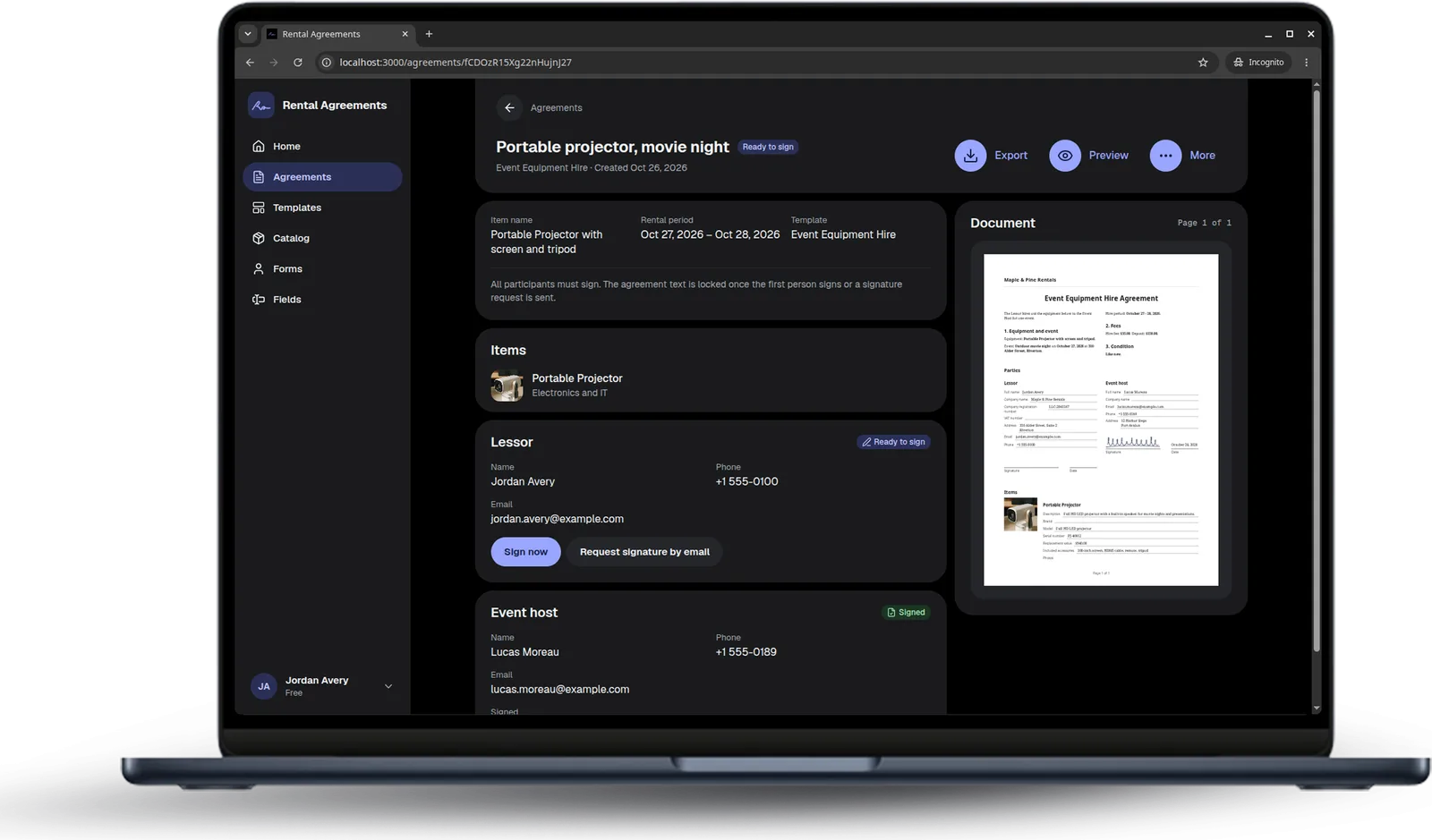
Start with one of the built-in templates for common rentals, or create your own. Customize the agreement text, add fields for details such as rental periods and deposits, and decide who needs to sign.
You can also add your company name or logo, attach photos, and use your Catalog to reuse information about the items you rent out.
When everything is ready, preview the agreement before collecting signatures.
Collect signatures, even when you’re not together
Not every rental agreement is signed face to face.
With Rental Agreements, you can send a private signature request by email. The recipient opens the link in their browser, fills in their details, reviews the document, and signs.
They don’t need a Rental Agreements account or an installed app.
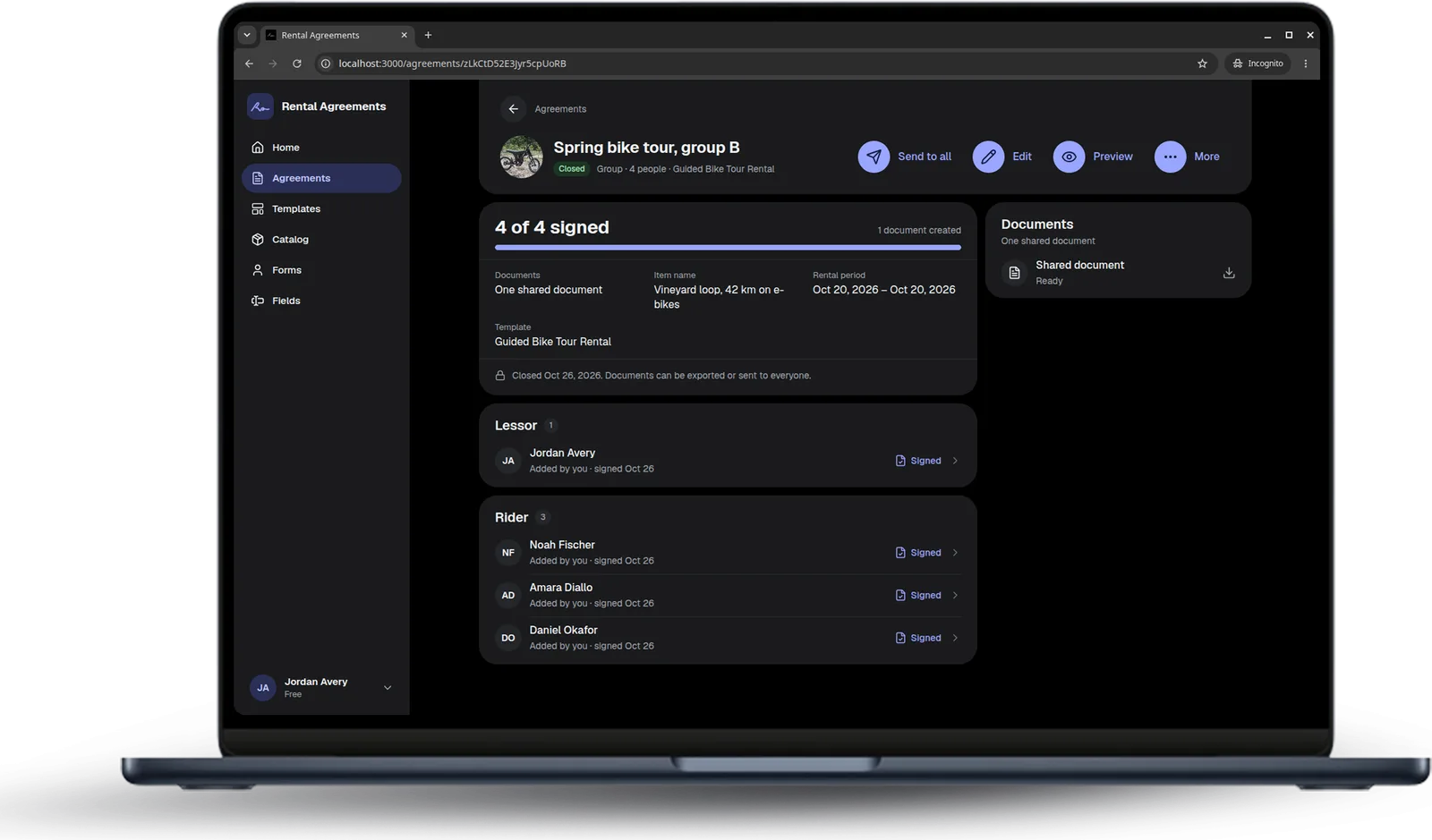
For rentals involving several people, Group agreements let participants join through an invitation link or QR code and sign their part of the agreement.
Once everyone has signed, you can export the completed documents as PDF files or JPG images.
Made for different kinds of rentals
Rental Agreements isn’t limited to apartments or houses.
You can use it for bicycles, cars, cameras, tools, holiday homes, event spaces, and many other things you rent out.
Built-in templates help you get started, while customizable templates and fields let you adapt the documents to your particular rental.
Whether you’re an individual renting something out occasionally or a small business preparing agreements regularly, you can choose the workflow that fits your needs.
Try Rental Agreements on the web
The web app is available now.
Open Rental Agreements Web App
Already using Rental Agreements on your phone? Sign in with your existing account.
New to Rental Agreements? You can start with the Free plan, which includes 5 individual agreements and 3 group agreements.
We’re continuing to improve Rental Agreements, and your feedback helps us decide what to work on next. If you have a suggestion or run into a problem, we’d love to hear from you.
Some agreements or places need other formalities, such as witnesses or notarization. Check the requirements that apply to your situation. Rental Agreements does not give legal advice.