
Free Laptop & Computer Rental Agreement Template (PDF)
Renting out a laptop or desktop computer involves more than the hardware. Software licences, user accounts, and files stored on the device all need clear rules. A computer rental agreement identifies the device by its serial number and sets out how it is used, secured, and returned.
Download a free blank PDF
Choose the document language. The blank PDF can be saved, printed, and filled in manually. No account is required to download it from this page.
Download blank PDFPDF · A4 · 3 pages · 49 kB
Preview this template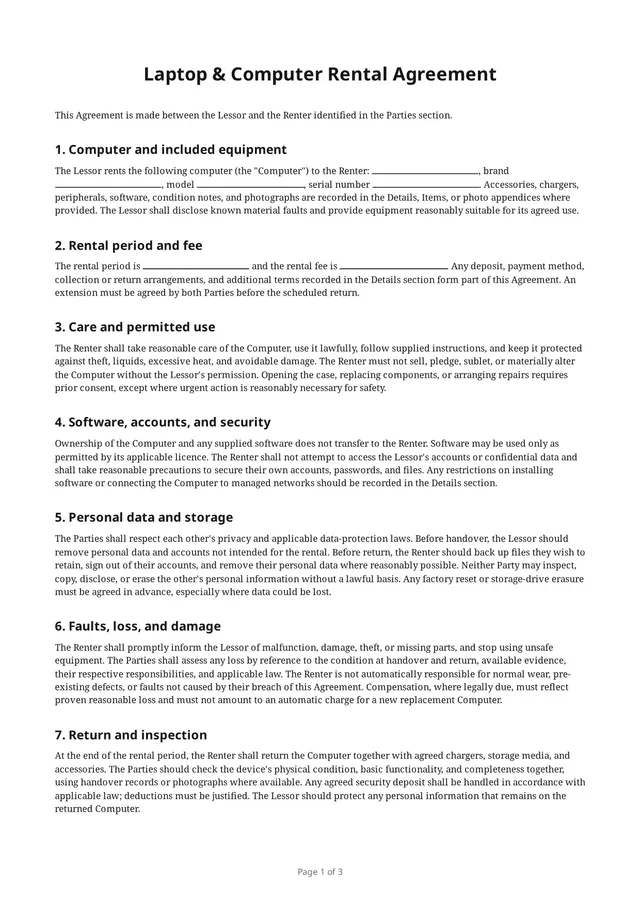
What’s in the blank PDF
The built-in template “Laptop and computer rental” from the app, as its Preview shows it before anything is filled in.
Sections
- Computer and included equipment
- Rental period and fee
- Care and permitted use
- Software, accounts, and security
- Personal data and storage
- Faults, loss, and damage
- Return and inspection
- Final provisions
Lines to fill in
- Item name
- Brand
- Model
- Serial number
- Description
- Included accessories
- Rental period
- Pick-up time
- Return time
- Pick-up location
- Return location
- Rental fee
- Fee basis
- Deposit
- Late return fee
- Payment methods
- Replacement value
- Condition notes
- Special terms
- Governing law
Signature blocks
- Lessor
- Renter
- Witnessoptional
Why use a computer-specific agreement?
A computer can hold the lessor’s software and the renter’s accounts and files at the same time. Agreeing in advance who removes which data, whether a factory reset is allowed, and what happens if the device fails avoids disputes and protects both parties’ privacy.
What to consider including
- Device name, brand, model, and serial number.
- Charger, mouse, keyboard, bag, storage media, and other accessories.
- Rental period, fee, deposit, and pickup and return arrangements.
- Rules for installing software and connecting to networks.
- Who removes accounts and personal data before handover and at return.
- Existing faults, battery and screen condition, and photos.
A checklist to think through for your situation. It is not a list of clauses: the blank PDF’s own sections and lines are listed above.
Before the computer is handed over
Sign out of your own accounts, remove personal files, and check that the device starts, charges, and connects. Test it together at handover and at return. Agree in advance whether the renter may reset the device or erase the drive, since data could be lost.
Questions
How is this different from the electronics rental agreement?
It is written for laptops and desktop computers and covers software licences, accounts, data storage, and factory resets in more detail. For tablets, projectors, or other devices, the electronics template fits better.
Who is responsible for data left on the computer?
The renter should back up and remove their own data before return; the lessor should protect any personal information that remains. The template asks both parties to agree on resets and drive erasure in advance.
Can I change the terms in the app?
You can clone a built-in template and edit its wording, fields, participant forms, and layout before creating an agreement. Check the result against your needs and applicable local rules.
Related templates
All templatesElectronics rental agreement
For laptops, tablets, projectors, and IT gear: device details, accessories, and data.
Camera & AV equipment rental agreement
For cameras, lenses, audio, and lighting: serial numbers, accessories, and return checks.
Equipment condition report
Record an item’s condition, accessories, and defects at pickup or return.