
Free Equipment Condition Report Template (PDF)
A condition report documents the state of an item at a particular moment. Use one when handing over or taking back a bicycle, camera, tool, vehicle, or other rented equipment. It works best alongside a separate agreement that sets out the rental terms.
This is a supporting document, not a rental agreement by itself. Use it alongside an agreement that sets out the terms.
Download a free blank PDF
Choose the document language. The blank PDF can be saved, printed, and filled in manually. No account is required to download it from this page.
Download blank PDFPDF · A4 · 2 pages · 38 kB
Preview this template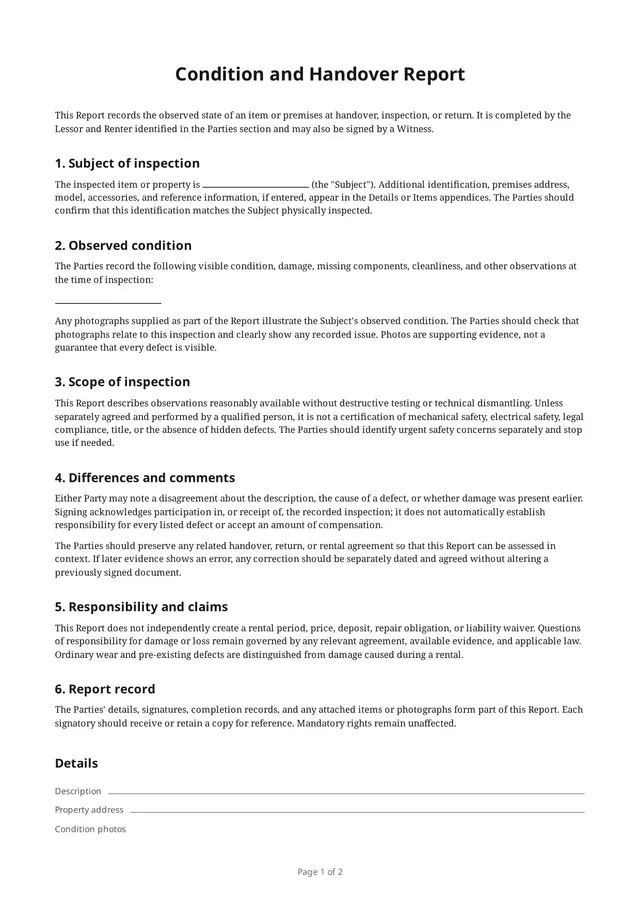
What’s in the blank PDF
The built-in template “Condition report / return record” from the app, as its Preview shows it before anything is filled in.
Sections
- Subject of inspection
- Observed condition
- Scope of inspection
- Differences and comments
- Responsibility and claims
- Report record
Lines to fill in
- Item name
- Description
- Property address
- Condition notes
Signature blocks
- Lessor
- Renter
- Witnessoptional
Why use a condition report?
It is easy to forget whether a scratch was already there, a battery was included, or a part was working before the rental. A simple inspection record gives both sides a reference point and can help distinguish pre-existing wear from changes noticed at return.
What to consider recording
- Identifying details for the item, such as serial number or registration plate.
- Date, time, place, and people present at the inspection.
- Visible marks, wear, missing parts, and known functional issues.
- Supplied accessories, chargers, keys, cases, and other components.
- Photos of overall condition and specific defects.
- Observations at return, if using the same process twice.
A checklist to think through for your situation. It is not a list of clauses: the blank PDF’s own sections and lines are listed above.
During the inspection
Inspect the item together whenever possible. Use concrete descriptions such as “scratch on left panel” rather than simply “good condition.” Keep photos dated and associated with the right item. A condition report does not by itself set the rental price or other contract terms.
Questions
Is a condition report the same as a rental agreement?
No. It records the state of an item; a rental agreement describes the terms between the people involved. They can complement each other.
Should I complete a report at both pickup and return?
That can be helpful. Two records make it easier to compare the item’s condition before and after use.
Can I change the terms in the app?
You can clone a built-in template and edit its wording, fields, participant forms, and layout before creating an agreement. Check the result against your needs and applicable local rules.