Add and edit items
Keep the things you rent out in your Catalog, with photos and details.
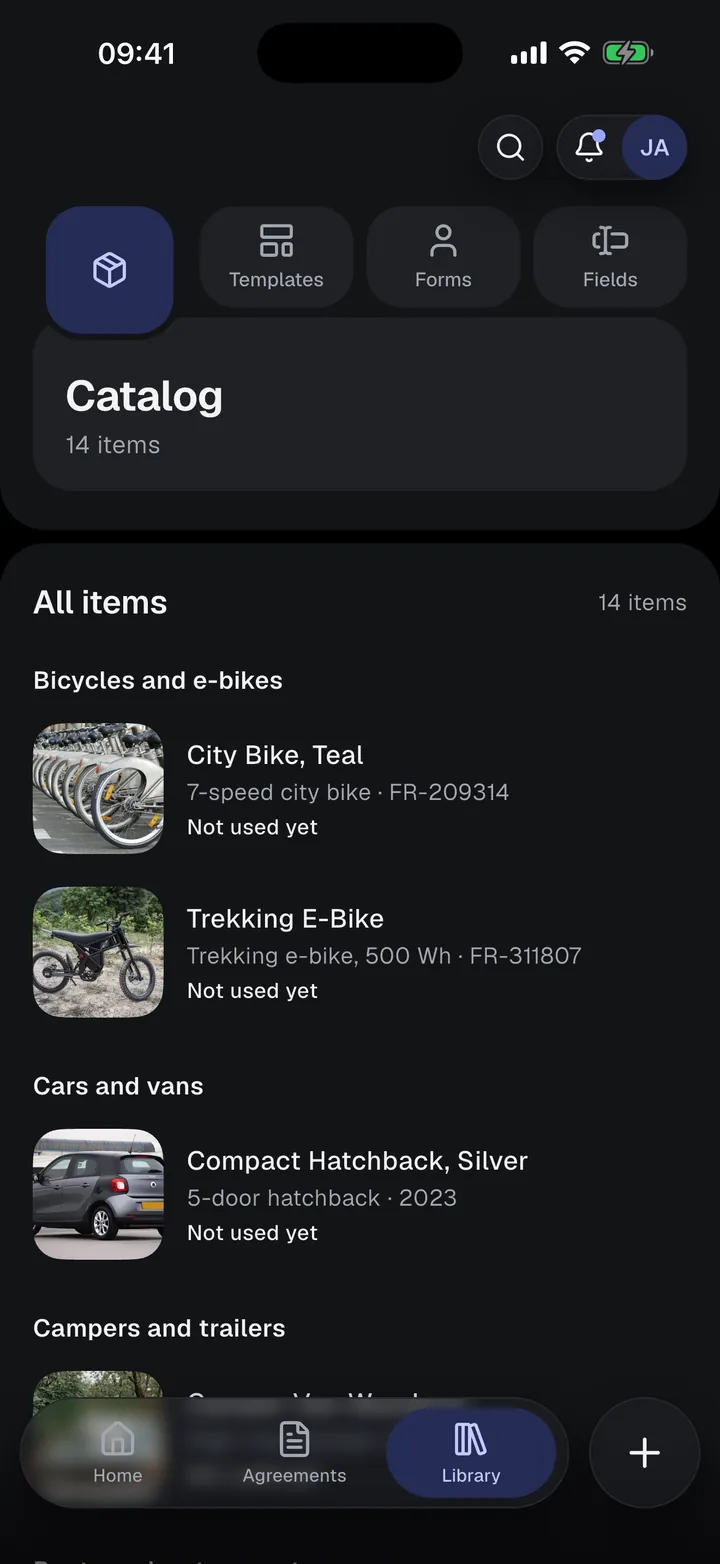
The Catalog holds the things you rent out, such as bikes, kayaks, cameras, tools, cars, rooms, or venues. You find it in Library › Catalog.
An item has
- a name and an optional item image (the picture you see in lists);
- a category, which decides its fields;
- details: the category’s fields, plus any fields you add from your field library;
- photos.
Add an item
- Tap Add catalog item on Home, or Create (+) in the Catalog list.
- Add the image, name, and category.
- Fill in the details. Add field adds any field from your library that the category doesn’t have.
- Tap Save.
Changing the category keeps the values of fields the new category still has.
The Catalog list
Items are listed by category, each with its image (or the category icon), short details, and how many agreements use it. The search in the header finds items by name, details, or category.
Open an item to see its details, photos, and Used in agreements. From there you can Edit, Delete, or Create agreement. Hold a row for Clone and Delete.