
Request a signature by email
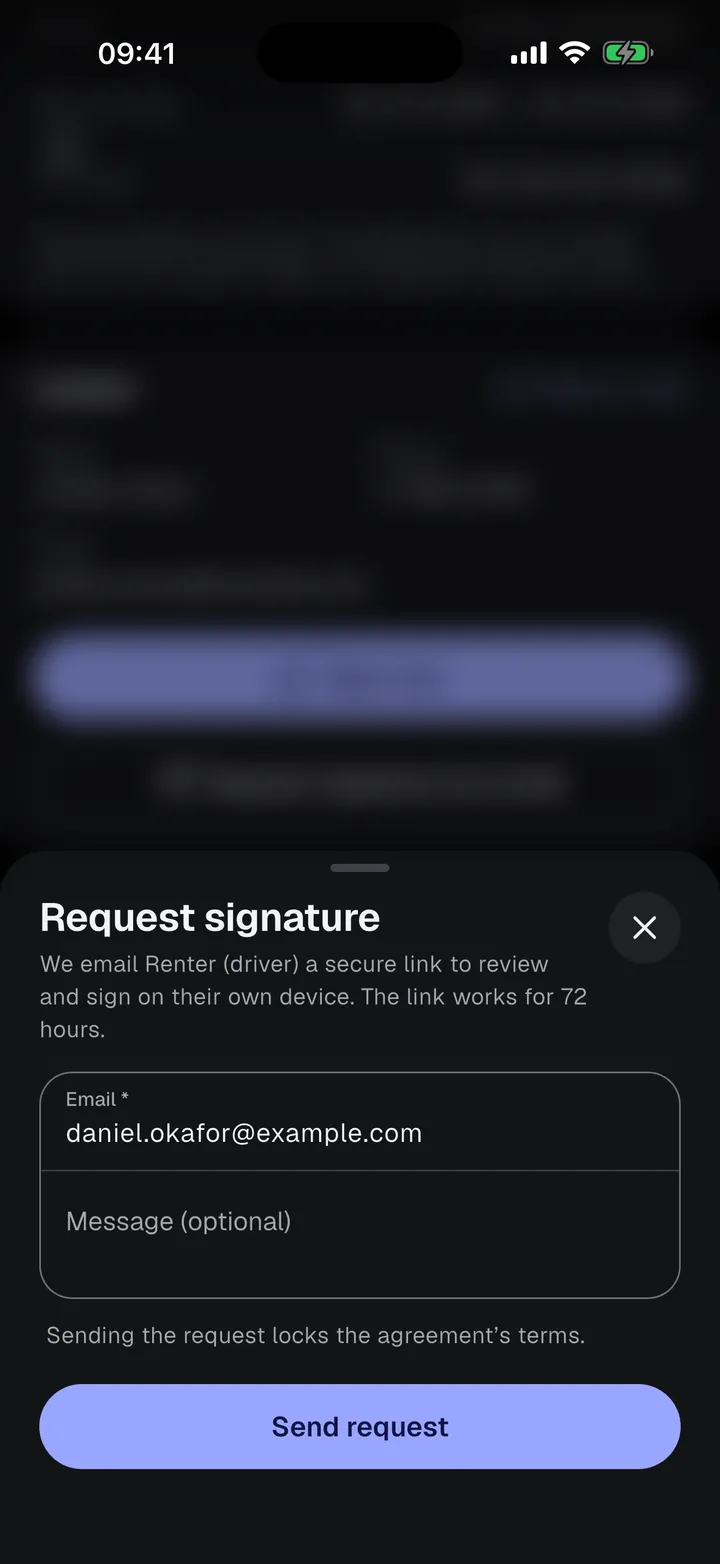
Send a private signing link to a participant. They open it in any browser, fill in their own details, review the agreement, and sign, with no account or app.
Before you send
Your own email must be confirmed first, in Settings › Account, because recipients reply to it. The first time you send a request, the app also asks for your name, which is shown to the recipient as the sender.
Send a request
- Open the agreement and find the participant’s card.
- Tap Request signature by email.
- Enter the person’s email and, if you like, a message of up to 500 characters. It appears in the email and on the first page they see.
- Tap Send request. The link works for 72 hours.
While the request is active
The participant’s card shows the request’s state. While a request is active, their form can’t be edited or signed on your phone.
| Card shows | What you can do |
|---|---|
| Request sent | See when the link expires. Resend sends a new link and the old one stops working. Cancel request stops the link, so you can sign on your phone or send a new request. |
| Request expired | The link wasn’t used within 72 hours. Tap Resend. |
| Signed | The person has signed. When everyone has signed, the app creates the final PDF. |
The address you send to goes into the person’s email field and stays locked while the request exists, even after it expires: neither you nor the person signing can change it, so the signed document and its certificate show the address the link went to. To use another address, cancel the request, correct the email, and send a new one.
Request signature by email appears only for roles whose form has an email field. Other roles sign on your phone.
What the person sees
The link opens in any browser. See What the person signing remotely sees.
If the email doesn’t arrive
Ask the person to check their spam folder, check the address on their card, and tap Resend. To use another address, cancel the request and send a new one.
Limits
You can send at most 5 requests per person and 200 per day in total.